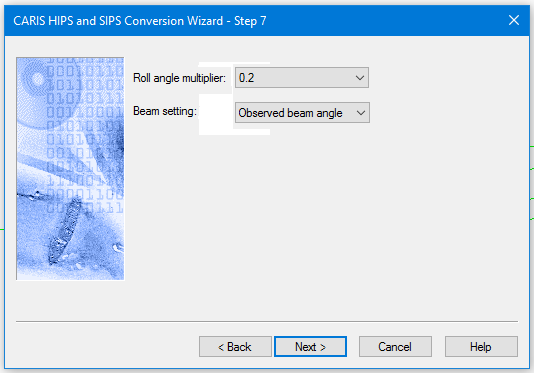
Different variations of FAU data can be imported to HIPS (e.g., FAU and FU2).
FAU import only accepts Ground coordinate settings in the Navigation Coordinate Settings dialog box. See Set Navigation Coordinate System.
FAU data files use a multiplier of 0.2 or 0.1 to scale roll angle values. The roll angle in units of degrees.
Interface
Options for converting FAU data to HIPS are displayed in this dialog box.
Option | Description |
Roll angle multiplier | A numeric multiplier used to scale roll angle values to degrees. 1. Select the multiplier from the drop-down list. The default value is 0.2. |
Beam setting | The beam setting stored in the FAU file is used to determine whether a profile has reached its end, and a new one needs to be started. The file can contain either: • Observed beam angle, with respect to the nadir. • Beam number, the beam number within the profile. 1. Select the type of setting from the drop-down list. The default value is Observed beam angle. |