The DXF Export option in the Profile window pop-up menu enables you to export the profile lines as 3D lines in a DXF file.
Interface
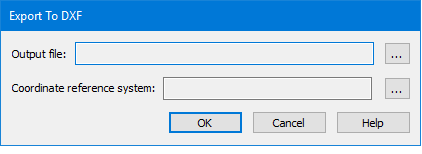
In this dialog box you can define the output file location and coordinate reference system that will be used for the export.
Procedure
1. Right-click the Profile graph in the Profile window.
2. Select the DXF Export command.
The Export to DXF dialog box is displayed.
3. In the Output file field, click Browse (...) and enter a name and location for the exported file.
4. In the Coordinate reference system field, click Browse (...) to open the Select Coordinate Reference System dialog box.
5. Select a coordinate reference system.
6. Click OK to return to the Export Profile dialog box.
7. Click OK to perform the export.
The DXF file is saved to the specified location.