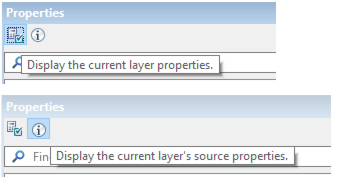
The Properties window contains settings for data layers. When a layer is selected in the layers window, two kinds of properties for the layer can be displayed: Layers mode and Source mode.
Buttons on the Properties window toolbar are used to switch from one Property list to the other.
Layer properties are presentation and display properties for the currently selected layer or layers, for example, colour, symbolization scale, line thickness etc. Each type of layer has its own range of properties, and different properties are provided for different data formats.
Source properties provide information related to the source of the currently selected layer, for example, coordinate reference system, extents or lineage of a csar layer. In Source properties mode, many items may be read-only.
Many properties may also be available as options (see Options), which are applied to all layers. Changes to layer properties made in the Properties window will affect only the selected layer or layers, and only for the current session (unless the session is saved to a project file). |
Short descriptions of a property field can be viewed by hovering the cursor over the field.
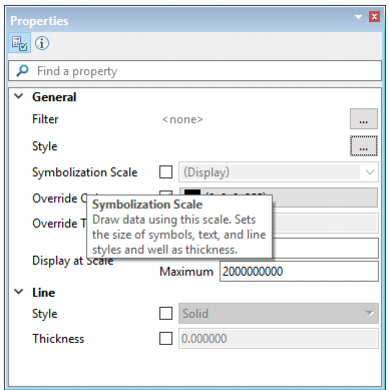
To apply a property:
1. Select a layer or group in the layer window
Select a single layer to change its properties.
Select a group layer to change properties that are common to all layers in the selected group.
Properties for the layer will be displayed in both modes of the Properties window.
In Layer properties mode, many options require that you select a check box to enable an option, before setting a value for the property.
Other properties contain links to open dialog boxes within which to set properties, for example, as in the Style property. The Style property creates a presentation definition for the way a layer is rendered in the Display window. The link in the Style properties field opens the Style dialog box, where style rules can be selected. (See Style.) New style rules can be added from values set in the New Classification dialog box, which is opened from the Style dialog box. (See Classification.)