Menu | Tools > Bands > Remove Band |
Remove a selected band from a raster surface, variable resolution surface or point cloud.
This is a permanent change. This operation is not affected by the Undo or Redo commands, and there is no way to recover data once the band is removed.
The following bands are required and cannot be removed:
• Primary elevation band
• Status band
This command cannot be used for layers that are not part of a coverage, such as a Bounding Polygon layer; these layers can be closed using the Remove command.
Related commands:
Interface
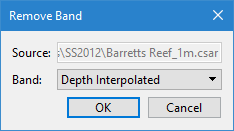
The Remove Band command uses the following dialog box.
Option | Description |
Source | The name and location of the input. The Source is defined by the coverage that was selected at the time the command was initiated. This field cannot be changed. |
Band | The band that is to be removed from the input coverage. The drop-down list will be populated with all bands in the coverage that can be deleted. |
Procedure
1. In the Layers window, select the coverage containing the band you want to remove.
2. Select the Remove Band command.
The Remove Band dialog box is displayed.
3. Select the Band to be removed.
4. Click OK.
A message is displayed to confirm the removal of the band.
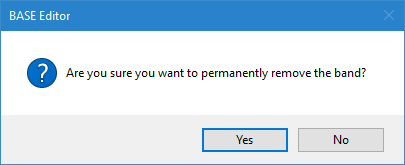
5. Click Yes to permanently remove the band.
The band is removed from the coverage.