Menu | Tools > TIN > Smooth TIN |
Interface
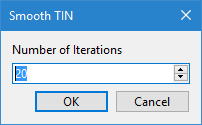
The Smooth TIN command uses the following dialog box.
Option | Description |
Number of Iterations |
Procedure
1. Select the TIN Editor layer in the Layers window.
2. Select the Smooth TIN command.
3. Specify the Number of Iterations to perform.
4. Click OK.
The TIN is smoothed.