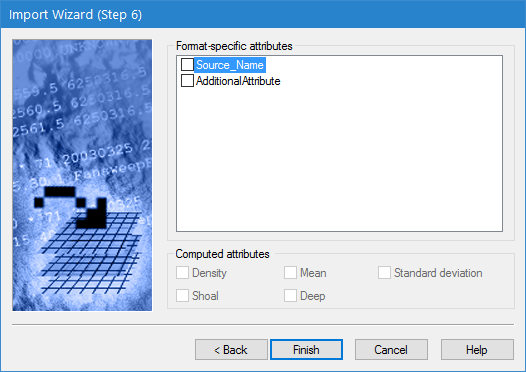
The last step in the Import Wizard is used to select the attributes to be included in the output coverage.
Interface
The last step of the Import Wizard is shown below.
Option | Description |
Format-specific attributes | The attributes available when the Output data type is set to |
Computed attributes | The attributes available when the Output data type is set to |
Procedure
1. Click the check box for each attribute to include in the output coverage.
2. Click Finish.
The import is started. A progress indicator is displayed in the left side of the Status bar. When the import is complete, the Layers window lists the raster surface or point cloud that was created.