Tag | Parent | Children | Description |
<Utilities> | None | <Utility Version=”1”> | The top-level tag. A container for all other tags in the file. |
<Utility Version=”1”> | <Utilities> | <Name> <Tooltip> <Command> <CommandBlock> <CommandOutput> <SelectionFile> <SuperselectionFile> <ReturnFile> | An individual utility must be enclosed in the All tags except |
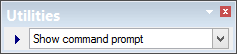
<Name> | <Utility Version=”1”> | None | The name of the utility. This is displayed in the list on the Utilities toolbar. Example: <Name>Show command prompt</Name>
|
<Tooltip> | <Utility Version=”1”> | None | A brief description of the utility; displayed when the cursor is positioned over the Utilities toolbar. |
<Command> | <Utility Version=”1”> | None | The external process to be run, including any necessary parameters. Parameters are: • • • Example <Command>cmd.exe /c copy %SelectionFile% %ReturnFile%</Command> |
<CommandBlock> | <Utility Version=”1”> | None | Choose what happens to the application while the external process is running. Can be: • True: The application is blocked (waits) until the external process is finished. • False: The application continues while the external process runs. |
<CommandOutput> | <Utility Version=”1”> | <OutputFile> <OutputWindow> | A container for child elements that define how to display text produced by the external process. |
<OutputFile> | <CommandOutput> | None | [Optional] Complete path and name of an output file. This file, if created, shows the results of the process. |
<OutputWindow> | <CommandOutput> | None | Display the results of the process in the Output window. |
<SelectionFile> | <Utility Version=”1”> | <FileType> <FileName> <FilePath> | A container for child elements that describe how to pass a selection to an external process via a file. |
<SuperselectionFile> | <Utility Version=”1”> | <FileType> <FileName> <FilePath> | A container for child elements that describe how to pass a superselection to an external process via a file. |
<ReturnFile> | <Utility Version=”1”> | <FileType> <FileName> <FilePath> | A container for child elements that describe how to return a selection or superselection from an external process via a file. |
<FileType> | <SelectionFile> <SuperselectionFile> <ReturnFile> | None | This can be HOB, GML, SHP |
<FileName> | <SelectionFile> <SuperselectionFile> <ReturnFile> | None | The file name and extension of the selection, superselection, or return file. This tag is optional. A file name is generated if it is not used. |
<FilePath> | <SelectionFile> <SuperselectionFile> <ReturnFile> | None | The complete file path of the selection, superselection, or return file. |