Menu | Model > New Feature > Profile |
Tool |
|
Pop-up | Create New Profile |
The New Profile command is used to specify locations where repeated visual inspection of the data is desired. You can create a cross-sectional reference to:
• analyze the cross-sectional or longitudinal morphology of a model,
• predict potential slope failures, and
• see how the data intersects with the theoretical model.
To visually create a profile, there must be at least two existing points that belong to a template cross-section.
Alternatively, you can generate profile lines at predetermined steps using the Station Catalogue feature (see New Station Catalogues). |
1. Using a selection tool, choose the points required to create the profile.
2. Select the (New Feature) Profile command.
Menu | Model > New Feature > Profile |
Tool |
|
Pop-up | Create New Profile |
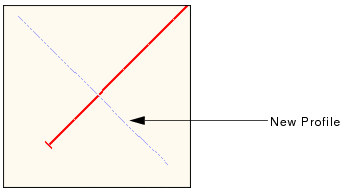
The profile is automatically generated based on the selected points. The Model Feature window displays the Identification tab.

The Model Feature window is not available for profiles defined in a station catalogue. |
3. [Optional] Edit the profile’s default name by typing a new value in the Name field and pressing <Enter>.
4. [Optional] Type a Description for the profile and press <Enter>.
5. [Optional] Add, remove or move (up or down) points in the Points tab.
The Display window is refreshed to display the new profile.