Menu | Model > New Feature > Supersurface |
Tool |
|
Pop-up | Create New Supersurface |
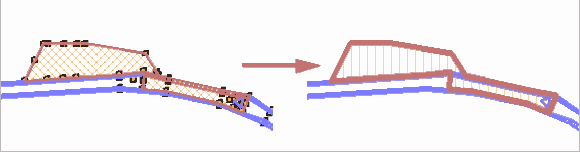
The New Supersurface command is used to create a single surface from two or more existing adjacent surfaces.
1. In the Layers window, select the Surfaces layer.
2. Select a selection tool.
3. [Optional] Select two or more surfaces.
4. Select the (New Feature) Supersurface command.
Menu | Model > New Feature > Supersurface |
Tool |
|
Pop-up | Create New Supersurface |
The New Supersurface dialog box is displayed.
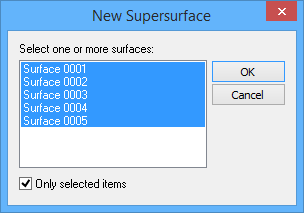
5. [Optional] To display only previously selected surfaces, select the Only selected items option.
6. Select two or more surfaces.
7. Click OK.
The new supersurface is created.