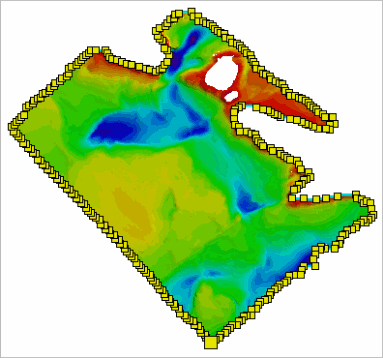
Menu | Tools > Bounding Polygon > Edit Selected Polygon Boundary |
Pop-up | Bounding Polygon > Edit Selected Polygon Boundary (Layers window) |
The editing functions explained in this section apply changes to individual vertices. To edit the entire polygon, see Editing an Entire Bounding Polygon.
Procedure: Enable Edit Mode
A bounding polygon must be in Edit mode before any edits can be made.
1. Open the dataset with the polygon to be edited.
2. Select the Bounding Polygon layer.
3. Select the polygon feature in the Display window.
4. Select the Edit Selected Boundary Polygon command.
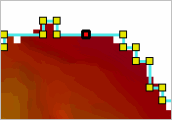
The polygon is now in Edit mode and ready to be edited. Note the change in the cursor’s appearance.
Procedure: Move a Vertex
1. Place the bounding polygon in Edit mode.
2. Select a vertex in the line, but keep the mouse button pressed.
3. Drag the cursor.
The vertex and the edge on either side of it will move with the cursor as you move the cursor around the screen.
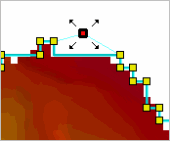
4. Release the mouse button when the vertex is in the correct location.
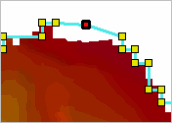
Procedure: Add a Vertex
1. Place the bounding polygon in Edit mode.
2. Move the cursor to the appropriate location on the polygon.
3. Press and hold the <Ctrl> key and click the polygon.
The cursor will change to indicate the edit.
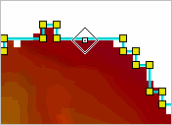
4. Click the polygon edge to place the vertex.
The new vertex is added to the polygon edge.
Procedure: Delete a Vertex
1. Place the bounding polygon in Edit mode.
2. Select the vertex that you want to delete.
3. Right-click the vertex and select Edit Line > Delete.
The vertex is removed from the polygon.
Procedure: Disable Edit Mode
1. When finished editing vertices, use one of the following methods to disable Edit mode and implement your changes.
• Select the Edit Selected Boundary Polygon command again.
• Right-click and select Edit Line > Redigitize.
If necessary, changes can be undone using the Undo command as long as you have not saved the changes. |