Menu | Tools > Features > Create Source Areas |
Generate one or more Source Area polygons automatically from the source information attribute of a combined surface. The source attribute can be selected from a surface layer, such as the “Contributor” layer, in string format. When finished, areas will be created to represent each data source that contributed to the surface.
Interface
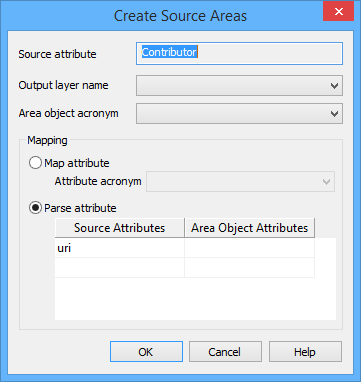
The Create Source Areas command uses the following dialog box.
Option | Description |
Source attribute | The attribute in the source surface that identifies the data source from which each node was populated. The Contributor attribute is used by default and cannot be changed. |
Output Layer Name | The feature layer on which to create the new area features. |
Area Object Acronym | The object acronym to assign to the new area features. |
Map Attribute | |
Parse Attribute |
Procedure