Menu | Tools > Layers > Compute Slope and Aspect |
Calculate the slope and aspect values for a surface.
Calculating the slope and aspect values for a surface uses a triangular network over the entire surface. The triangles in the network are formed by connecting the points in the surface. Every line connecting two points has a slope and each of the triangles touching at a point has an aspect. Only the maximum slope at each point is stored.
Slope is the maximum steepness from a node to all connected nodes within the TIN of the surface. It is measured in degrees (0 to 90).
Aspect is the direction of the steepest triangle involving the node, measured clockwise from north.
For surfaces using Geographic coordinates, the first step in the calculation of slope is to preform a degrees-to-metres conversion for the centre of the surface. This is then used throughout the surface.
Procedure
1. Select a raster surface in the Layers window.
This command can only be used on surfaces that have a primary Z layer with Float type data. |
2. Select the Compute Slope and Aspect command.
BASE Editor will perform the computation based on the data in the selected surface.
When finished, a message indicating the start and end times is displayed in the Output window.
Two new attribute layers are added to the Layers window for the new data.
3. Select the Aspect layer in the Layers window.
4. Select an area in the Display window.
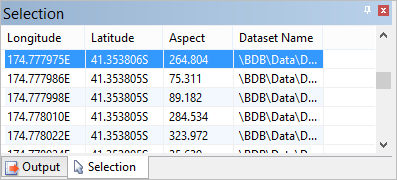
The Selection window displays the coordinates and aspect value for each selected point
In the Properties window you can see the properties for the Aspect layer. These properties are the same as for other attribute layers, except that Minimum Range and Maximum Range represent the minimum and maximum direction values to be coloured by the selected colour file.
5. Select the Slope layer in the layers window.
6. Select an area in the Display window.
The Selection window now displays the coordinates and slope value for each selected point.
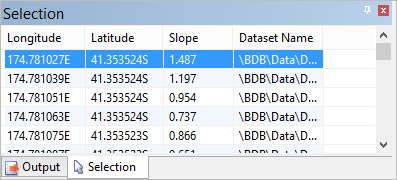
Again, the Properties window displays the properties for the selected layer.
For the Slope layer, Minimum Range and Maximum Range represent the minimum and maximum angles to be coloured by the selected colour file. The maximum value possible for slope is 90 degrees.