Menu | Tools > Layers > Compute Layer |
Create a new attribute layer for an existing coverage. Conditions can be applied to source data to alter the attribute values in the new attribute layer. This is useful if you need to apply a shift, but do not want to apply it to all attributes in a coverage.
Interface
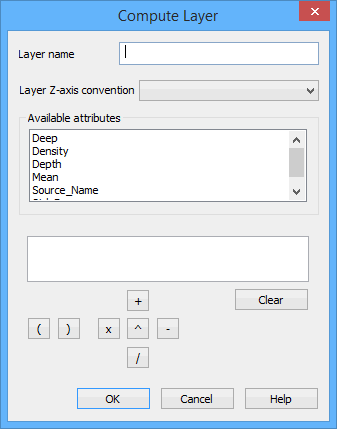
The Compute Layer command uses the following dialog box.
The fields in this dialog box include:
Option | Description |
Layer Name | The name to assign to the new layer. |
Layer Z-axis Convention | The Z-axis convention for the data in the new layer. The options include: • Depth with Z-axis positive down: to be used if the data in the new layer will contain depth values that are positive down. • Height with Z-axis positive up: to be used if the data in the new layer will contain elevation values that are positive up. • Not applicable. Generic numbers: to be used if the data in the new layer will represent generic, non-Z values (for example, Std_Dev). These values display as spikes and dips in the data. |
Available Attributes | All attributes available in the selected coverage. These attributes are used as the source data for creating the new layer. |
Conditions fields | Define a condition to apply to the source data to alter the values in the new layer. 1. Double-click an attribute in the Available Attributes list to add it to the condition field. If the selected attribute has a space in its name, you must place quotation marks around the attribute in the conditions box (for example, "attribute name"). 2. Click the operator buttons (+, -, x, \, ^ or brackets) to add them to the condition field with the attribute name. 3. Type any necessary values for the condition operators. The Clear button can be used to delete the condition and start over. |
Procedure
1. Select the Computer Layer command.
2. Type a Name for the new layer.
3. Select the Z-axis convention for the layer.
4. Double-click the attribute to use as the data source for the new layer.
5. Define a condition.
6. Click OK.
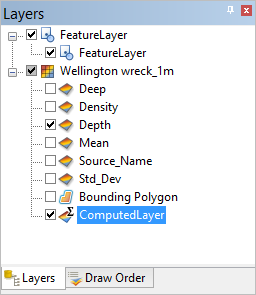
A new layer is added to the Layers window, populated with values from the source attribute that have been altered according to the user-specified condition.