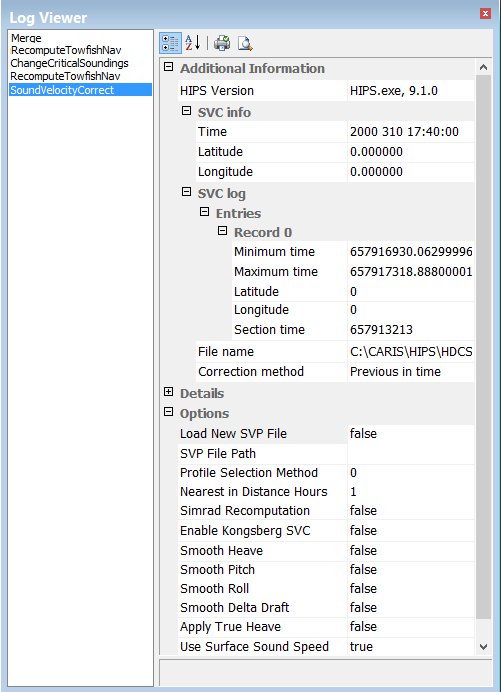
To display the SV profile information in the process Log Viewer:
1. Open the Log Viewer from the Window> Other Windows menu.
2. Select SoundVelocityCorrect from the left column of the Log Viewer.
The SVC information is listed in the right column of the viewer.