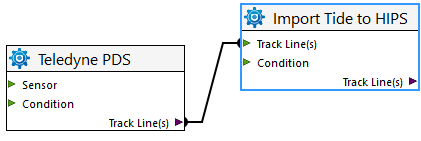
Tools are connected to define the sequence in which the processes will be applied to data. The output of one tool is the input of the next tool or tools to which it is connected.
A tool can have multiple inputs if necessary, but only a single output.
To connect two tools:
1. Click on a port on one tool, for example an output, and drag a line out to the input port of the second.
2. Release the line and it will automatically attach to the second process.
Move a tool
To move a tool around in the model view window:
1. Click and drag the tool to a new location.
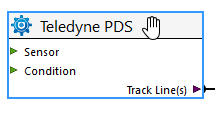
The cursor changes to a hand to indicate that the tool can be moved.
Delete a tool
To delete a tool from the process model:
1. Select the tool.
2. Click Delete.
Menu | Edit > Delete |
Pop-up | Delete |
key | Delete |
3. To confirm the deletion, click Yes.
The tool is removed.
Delete a connection
To delete a connection:
1. Click on one end point of a connector.
The line will be highlighted in blue.
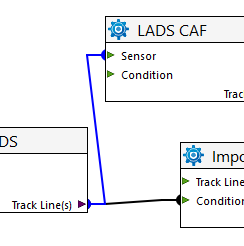
2. Click Delete to remove the connector.
Tools can be connected to as many other tool as logic allows.