Menu | Tools > > Editors > Single Beam > Add Depth |
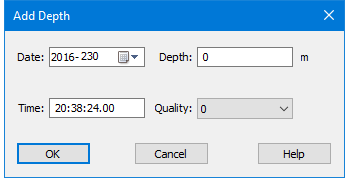
Pop-up | Add Depths |
In Single Beam Editor, add a new sounding by supplying time and depth. The position of the new sounding is interpolated from the existing navigation data (using the supplied time). A quality code can also be entered. If you enter a new depth, a new observed depths file and a new slant range (travel time) file is generated.
You can add depths by selecting an existing sounding and inserting a new depth or by creating a new time stamp without selecting an existing sounding.
Interface
The depths are added using the Add Depth dialog box.
Procedure
1. Select the Add Depths command.
2. Select the Depth field and type a new depth value
3. Select the Time field and type a new time stamp value.
4. Select a new quality flag, if needed.
5. Click OK to add the new depth value to the file.