An EA400/600 dataset is composed of two parts, and side scan / amplitude data is stored in the *.raw component. However since the file format does not explicitly state which channel contains the side scan data, you need to know beforehand where the port side and starboard side data are stored.
Interface
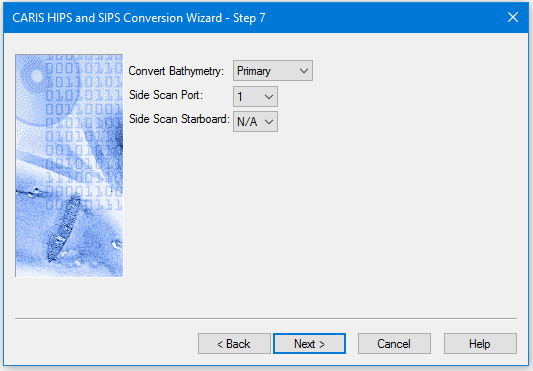
Options for converting Kongsberg EA600 data to HIPS are displayed in this dialog box.
1. If you are converting single beam data from the dual frequency EA400\600 system, select Primary to use the primary sounding as the selected sounding in the HIPS file, or select Secondary to use the secondary sounding as the selected sounding.
2. Use the Side scan Port drop-down list to select the number of the channel which contains the side scan data.
3. Use the Side scan Starboard drop list to select the number of the channel which contains the side scan data. If you select N/A for a channel, no side scan data will be converted for that channel.