Menu | Tools > Report > Generate Statistics |
Generate a list of features and attributes on a selected layer.
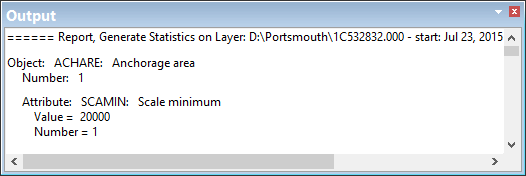
The statistics are displayed in the Output window and can be saved to a text file. The information includes:
• Total number of features on a layer.
• List of attributes associated with a feature.
• Values for those attributes and total number of attributes using a specific value.
Procedure
1. Select a layer.
2. Select the Generate Statistics command.
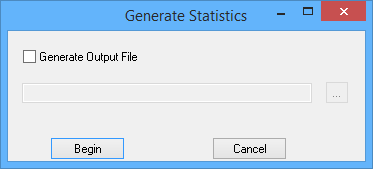
The Generate Statistics dialog box is displayed.
Option | Description |
Generate Output File | On; The report is saved to a file. Click browse (...) and select a path and file name. Off: The report is not saved. It is displayed only in the Output window. |
3. [Optional] Enable Generate Output File and select a file name.
4. Click Begin.
A message tells you that the Output window will be cleared.
Statistics are compiled and displayed in the Output window.