2. Select View Waveform.
This will open display the waveform window.
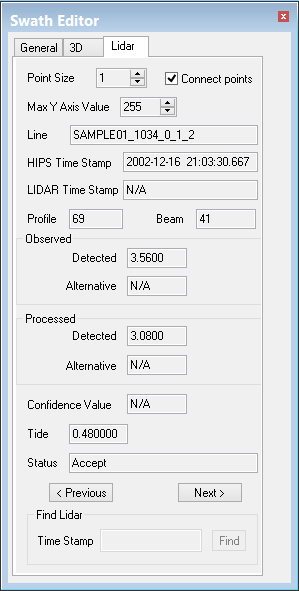
The LIDAR tabbed page appears on the Swath Editor window, and the Waveform window is opened. Nothing is visible in the Waveforms window until data is selected.
To display the LIDAR controls in Subset Editor: