Coverage outline
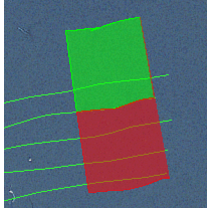
A coverage outline in the Display window automatically highlights the location of the side scan data that is visible in the View window. Changing the location of the outline changes the data that is displayed in the Side Scan View, and vice versa.
The starboard and port areas of the coverage outline are appropriately colour-coded, as illustrated below.
Colours for outlines and selection are controlled from the Tools >Options >Display > Side Scan Editor dialog box.
You can use the Side Scan Measure Distance and Measure Shadow tools in the View window (see “Measure Distance in Side Scan View” on page 79 and “Measure Shadow” on page 79). When you release the mouse button, the results are shown in the Coordinates window.