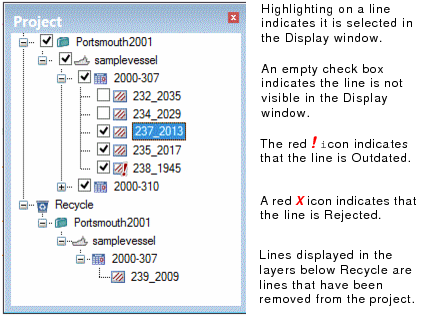
The Project window displays the currently open project. Control which lines are displayed by using the check boxes. By default all lines are set to visible.
Expand the tree by clicking the plus sign (+) to reveal the layers of the Project/Vessel/Day/Line hierarchy. Select a line in the Project window to see it selected in the Display.