Menu | Tools > Surfaces > Vertical Shift |
Pop-up | Vertical Shift |
Apply a vertical shift to one or more layers (Depth, Height, etc.) of an existing surface or point cloud, to create an output surface with an increased or decreased Z value. This function is not only applied to update data, it may also be used to apply tide.
There are three shift types available:
• Single Shift: shift the entire surface by a single value, see Shift Using a Single Value
• ASCII file shift: apply a file containing a grid of sounding datum heights, see ASCII File Shift
• Tide Correction: apply tide correction using data from a single station or multiple stations, see Shift Using Tide Correction Data
Interface
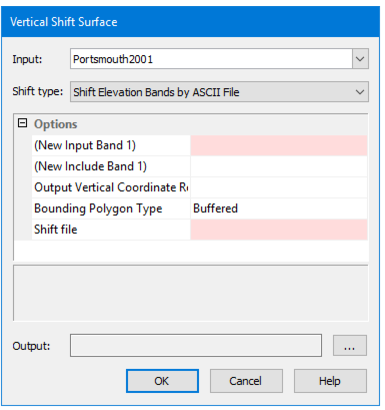
The Vertical Shift command uses the Vertical Shift Surface dialog box.
This dialog box defines the attribute layers you want shifted and the amount by which to shift them. The resulting surface will contain all of the same layers as the source surface, but only those selected for shift will have their values shifted.
Any layer with a Z value can be shifted.
If the source surface contains a computed layer, that layer will lose its dynamic status and will no longer be affected by changes to the primary elevation layer. |