Menu | Edit > Status Flag > Designated |
Tool |
|
Key | <D> |
Menu | Edit > Status Flag > Designated |
Tool |
|
Key | <D> |
Shoal soundings over significant seabed features can be flagged as “Designated” to ensure that these depths are maintained in charts and other standard hydrographic products.
Soundings can be designated in Subset Editor and Swath Editor.
Use these commands to flag, for example, the top of a mast in a wreck, or the shoalest sounding in a cluster of soundings identifying an outcrop of rocks.
Selected soundings can be manually flagged as designated, or use the Find Designated command to automatically select the shallowest sounding in cluster of highlighted soundings. This feature reduces the time needed to designate shallowest soundings.
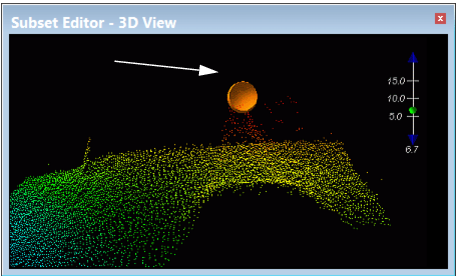
Flagged soundings show Designated status in the Selection window, and are highlighted in the editors by the Designated symbol (as shown in the zoomed-in view below).
Related Commands
Procedure
1. Open Swath, Single Beam or Subset Editor, and load data.
2. Select the shoalest sounding from a cluster of soundings around a feature in an editor.
3. Select the Designated soundings command.
The sounding is flagged as Designated.
