When you click the cursor in the raw data file, the cursor location (and thus the column position) is displayed at the bottom of the window frame.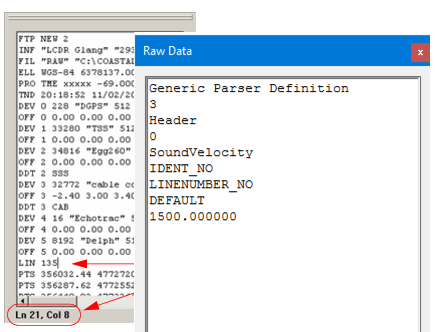
You can open the raw data file and find the exact column positions of the data you want parsed.
1. Select the Open Raw Data command.
Menu | File > Open Raw Data |
The Open dialog box is displayed.
2. Select a text file and click Open.
The file is opened in the Editor.
When you click the cursor in the raw data file, the cursor location (and thus the column position) is displayed at the bottom of the window frame.
If you select a section of the file so it is highlighted, the length (including characters and spaces) of the highlighted area is also shown.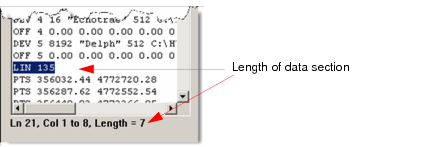
3. Select a data type from the list so the associated parameter fields are displayed in the parser.
4. Select the appropriate area in the text file by either placing the cursor in the file or highlighting a section of it.
5. Enter the raw data file information in the parameters area (see “Data Types” on page 174).
6. Continue with Steps 3 to 5 until all information has been collected for the configuration file.
Close files
7. To close files without saving information, select the Close Raw Data command.
Menu | File > Close Raw Data |