Menu | File > Import >Object Import Utility |
Tool |
|
Menu | File > Import >Object Import Utility |
Tool |
|
The Object Import Utility is used to create batch scripts which import data into a layer. The data can be imported with or without conversion using rule files.
Related commands:
Procedure
1. Select the Object Import Utility command.
The Select Catalogue dialog box is displayed.
The catalogue profile maps feature and attribute acronyms.
2. From Name, select the data type to use.
3. Click OK.
The Object Import Utility dialog box is displayed.
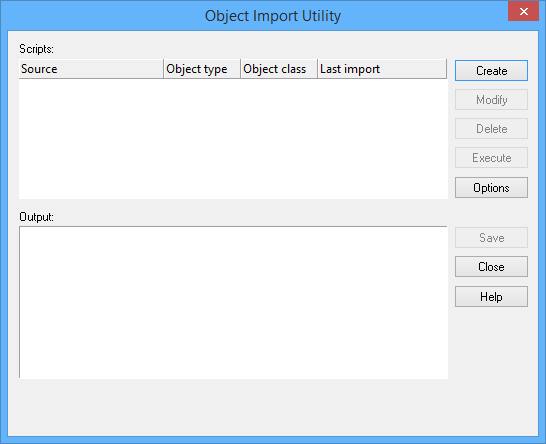
Option | Description |
Scripts | A list of existing scripts with the associated object type and class information. |
Output | The output from a script as it is executed. |
The following command buttons are available:
Command | Description |
Create | Create a new script. See Create a Script |
Modify | Edit an existing script. This is similar to creating a new script. |
Delete | Remove a script. |
Execute | Run the selected script. See Execute a script. |
Options | Change the default directory where scripts are stored. Type a new path or use the browse button (...) to select a location. |
Close | Close the dialog box. |
Save | to File |
