Menu | File > Export > Selection > DXF |
Export a selection of features to a DXF (AutoCAD) file. The DXF format allows AutoCAD data to be opened in other applications.
Contours, soundings, lines and bounding polygons can be exported to DXF format. Grid nodes and cloud points exported to DXF files are exported as 3D points with a Z value. Also, any features with an elevation type attribute can be exported with a Z value. You can set up these features to be exported as 3D objects by adding them to the ElevationLookup system file (elevationlookup.xml), located in:
C:\Program Files\CARIS\BASE Editor\<version>\modules\BASE Editor\support
Data is saved in two files:
• The DXF file contains the exported data. This type of file can be opened in CAD applications or viewed in CARIS as background data.
• The DXF_RXL file contains the coordinate reference system, unit type and unit scale of the data. This file is only used by CARIS applications.
Related commands:
Procedure
1. Make a layer active.
2. Select one or more features.
3. Select the Export Selection to DXF command.
A Save As dialog box is displayed.
4. Select a folder and type a file name.
5. Click Save.
The progress of the export and the number of features exported is reported in the Output window.
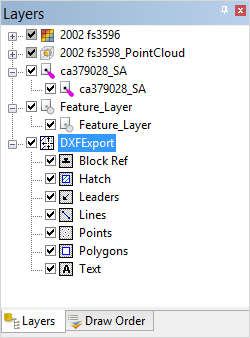
If you open a DXF file in a CARIS application, a parent layer is added to the Layers window with sub-layers for each supported data type.