The Delete Features command is used to delete individual features or groups of selected features from the reference model. There are a number of methods available to access this command, each of which is explained below.
1. Select the reference model feature or features you want to delete, either in the Model window or the Display window.
2. Use one of the following methods to select the Delete Feature command:
Menu | Edit > Delete > Superselection/ |
Pop-up | Delete Feature (Model window) |
Pop-up | Delete Features (Selection window) |
Key | Delete |
• Right-click a feature in the Model window and select Delete Feature.
• Select the appropriate Delete command from the Edit menu.
• Right-click a feature in the Selection window and choose the appropriate Delete Features command from the pop-up menu.
• Press the <Delete> key to remove the superselected feature.
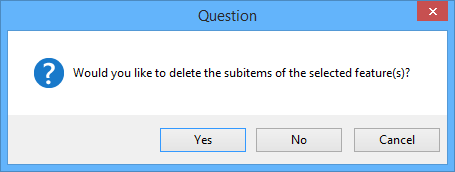
If the selected feature, or feature group, is independent of other reference model features, the Display window is refreshed and the features are no longer shown. However, if the selected feature has sub-items, the following question is displayed.
The wording of the message may differ slightly depending on the command that was selected. |
3. Click Yes if you wish to delete the selected feature(s) and the sub-items.
If any of the selected features are sub-items themselves, (components of another line, alignment, surface, etc.), the feature(s) cannot be deleted using this method and a message will be displayed in the Output window.
To delete features that are sub-items of other features:
1. Note which reference model feature contains the feature you want to delete.
2. Select the reference model feature that contains the sub-item.
3. In the Spatial tab of the Model Feature window, select the feature you want to delete.
4. Click Remove.
The selected feature is no longer a sub-item of the other reference model feature and can now be deleted from the reference model.
5. Repeat the process above to now delete the feature from the reference model.
The selected feature is no longer included in the reference model.