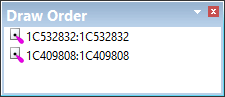
The Draw Order window is used to set the order in which layers are drawn. Only visible layers are listed.
The first layer in the list is drawn first. Every subsequent layer is drawn on top of the previous layer.
The draw order can be changed as follows:
1. Click on a layer and drag it to a new position in the list.
You can also select and move a group of layers using <Ctrl+click> and <Shift+click>.
2. Refresh the display to see the changes.