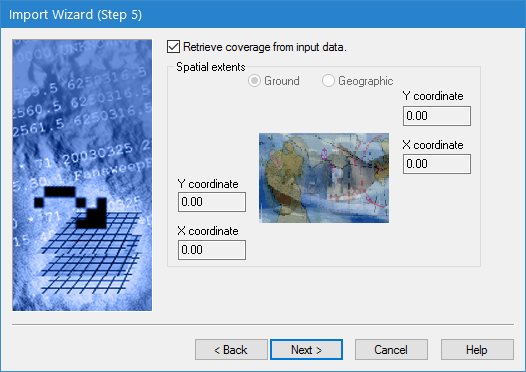
The fifth step of the Import Wizard is used to define the extents of the input coverage to include in the output coverage.
Interface
Step 5 of the Import Wizard is shown below.
Option | Description |
Retrieve coverage from input data | Enable this option to use the extents of the input data to define the extents for the resulting coverage. If disabled, the extents must be defined manually. |
Ground/Geographic | The coordinate type with which to enter the extents for the output point cloud. 1. Click to select one of the options. |
X/Y coordinate | Manually define the extents for the output point cloud. The names of the fields will change based on the selected coordinate type. 1. Enter the lower-left and upper-right coordinates for the extents in the relevant fields. |
Procedure
1. Either click the check box for the Retrieve coverage option or select the type of coordinates to use and manually enter the coordinates for the extents.
2. Click Next.
The next step in the wizard may differ depending on the format of the data being imported:
• If importing LAS data, go to Import Wizard: LAS Options.
• If importing NTX data, go to Import Wizard: NTX Options.
• If importing HTF data, go to Import Wizard: HTF Options.
For all other formats, go to Import Wizard: Attribute Selection.