Menu | Edit > Features > Intersect |
Cut selected areas and lines at intersections with other features.
This can used to ensure that the topology of the product conforms to VPF standards.
This command:
• Splits areas into new features with new feature object IDs.
• Splits lines into multiple edges that retain the original feature object IDs.
• Retains any existing relations, such as collections or VPF notes.
The following rules apply:
• More than one feature must be selected.
• Features must overlap or touch each other.
• Adjacent features that were not selected will also have edges changed if Edit All Features is active.
• This command cannot be applied to self-crossing lines.
Related commands: Intersect Edges
Procedure
1. Select two or more areas or lines.
2. Select the Intersect Features command.
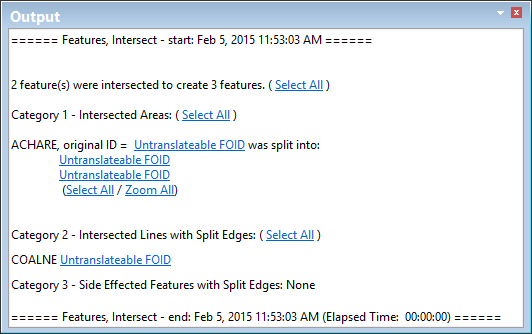
The selected features are intersected and the results are shown in the Output window.
Example
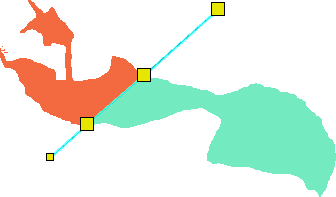
In this example, a line with a single continuous edge is drawn over an area.

When the Intersect Feature command is applied, there are two areas and the line has three edges.