Menu | Model > New Feature > Alignment > From Existing Alignments |
Select two or more connected alignments to create a single compound alignment. The selected alignments should form an unbroken "line", i.e., all alignments should start at the end of the previous alignment. For more background information on alignments, see Alignments.
Related commands:
• New Alignment From Superselection/ Selection
Interface
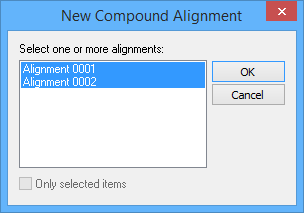
The New Alignment From Existing Alignments command uses the following dialog box.
Option | Description |
Select one or more alignments | The existing alignments from which to create the new compound alignment. 1. Press and hold the <Ctrl> key, then click the desired alignments in the list. |
Only selected items | Enable this option to limit the list of available alignments to only the alignments that were selected when the command was launched. |
Procedure
1. Select the (New Feature, Alignment) From Existing Alignments command.
2. [Optional] To display only previously selected alignments, select the Only selected items option.
3. Select the alignments you want to combine.
4. Click OK.
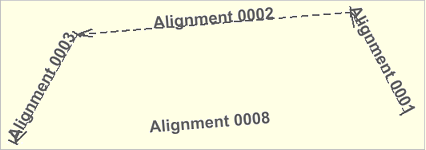
A new name is displayed for the compound alignment. In the example below, alignments 0001, 0002 and 0003 are combined to create alignment 0008.