Menu | Model > New Feature > Template > From Cross-Section |
Tool |
|
Menu | Model > New Feature > Template > From Cross-Section |
Tool |
|
Create a new template by applying a cross-section to an alignment.
A template is a collection of non-overlapping surfaces with specified orientations and elevations. Most operations in the Engineering Analysis Module operate on a template, as it describes a 3D model of the area. Creating a template from a cross-section automatically creates all of the necessary surfaces with appropriate elevations.
Related commands:
• New Template from Existing Surfaces
Interface
The Template from Cross-Section command uses the following dialog box.
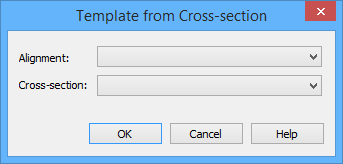
Option | Description |
Alignment | The alignment to which the cross-section will be applied. It is typical to pick a compound alignment containing multiple sub-alignments. |
Cross-section | The cross-section to apply to the alignment. |
Procedure
1. Select the (New Feature, Template) From Cross-Section command.
The Template from Cross-Section dialog box is displayed.
2. Select an alignment from the list.
3. Select a cross-section from the list.
4. Click OK.
The selected alignment will now have a buffer around it in the Display window.
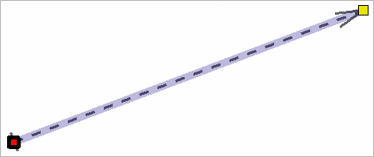
This indicates that additional input is required to specify the portion of interest of the alignment. The start and end chain of the portion of interest can be specified by dragging the end points of the buffered area to the appropriate location.
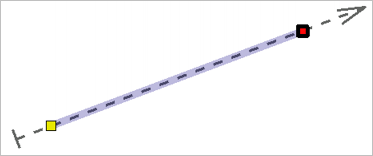
5. Select an end of the chain interval and drag it to the appropriate location.
6. [Optional] Select the other end of the chain interval and drag it to the appropriate location.
7. Press the End key.
A template will be created automatically, with one surface for every sub alignment of the selected alignment, and for every segment of the cross-section.
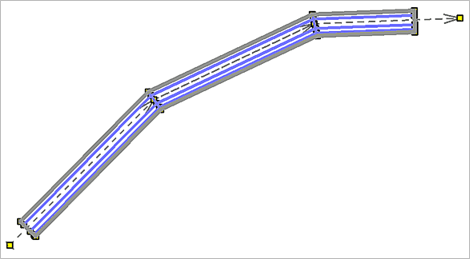
The points of the surfaces are all defined based using linear referencing, that is, as chains and offsets from the selected alignment, so modifying the alignment will update the surfaces and template automatically. Modifying the cross-section will not affect templates that have already been built from the cross-section.
To summarize, when a cross-section is applied to an alignment, a new template is automatically created.
.gif)
