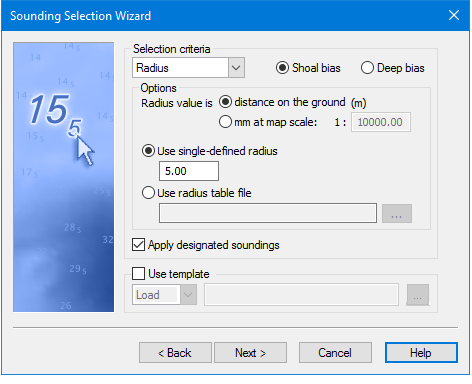
The settings in this dialog box determine the density of the selected soundings in the layer.
1. Select one of the criteria from the Selection Criteria drop-down list.
The dialog box will display the options associated with the selected criteria.
See Radius
See Overplot Removal
2. Select either Shoal Bias or Deep Bias as the method of resolving any conflicts during the selection process. This setting is also applied to designated soundings.
Apply designated soundings
This is set by default to ensure that all designated soundings are included in the sounding output. To omit designated soundings from the output:
3. De-select the apply designated soundings check box.
Selection Template
Settings in the wizard can be saved to a Sounding Selection Template (CSST) file. This file can be opened and reused.
4. Select the Use template option to open or create a template file that contains sounding selection options.
5. Select Load to open an existing template file, or
select Save to create a new template file from the options you are setting in the wizard.
6. Click the Browse button to open a file, or create a new file.
7. Click Next.