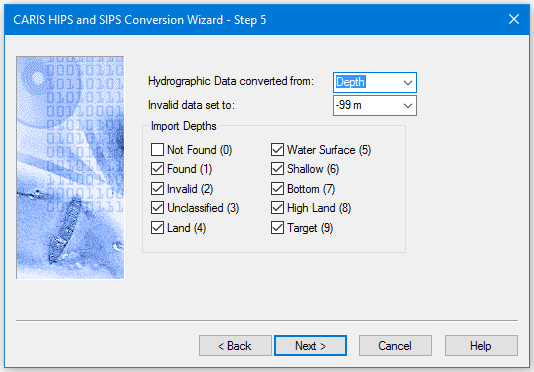
Options for Hawkeye Lidar data as exported from AHAB CSS software. The raw data needs to be maintained on disk in order for processing to be successful in HIPS and SIPS.
There are two kinds of Hawkeye files which have identical data structures, but differ in contents:
• The HD files store primarily hydrographic data but can contain topographic data as well.
• The TD files store only topographic data.
Each data point in the files contains two attributes: Depth and Point Altitude.
• The Depth attribute is water depth relative to chart datum. The Point Altitude attribute is height relative to an ellipsoid.
Data in TD files is always converted using the Point Altitude attribute, but where HD files are concerned, you can choose either.
Interface
Options for converting Hawkeye data to HIPS are displayed in this dialog box:
Procedure
1. Set the source of data: Depth or point altitude. Depths is the default setting.
2. If set to +99m, that value will be assigned to invalid points rejected during conversion. If set to -99m, the points are not assigned a depth.
3. Select the types of depths to be imported, as flagged by their specified value.
4. Click Next.