GSF format can contain single beam, multibeam and side scan data.
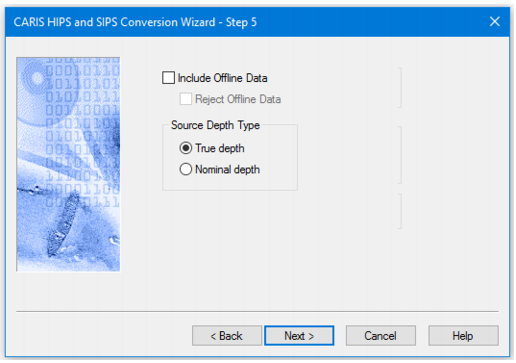
Data recorded during line turns is marked as Offline data in GSF. This data can be included or excluded during conversion. When included it can also be automatically rejected. One purpose for including the Offline data would be to maintain the same swath profile numbers in HIPS format.
Interface
Options for converting Generic Sensor Format data to HIPS are displayed in this dialog box.
Procedure
1. Select Include Offline Data check box to convert data flagged as offline.
2. Select the Reject Offline Data check box to automatically flag the converted offline data as Rejected.
3. Select the Type of depth source: True Depth or Nominal Depth. (True is default.)
4. Click Next.