Menu | View > Zoom/Pan History > New View |
Create a custom view of the Display window and name it.
The name of the view is added to the list. You can return to the view at any time using the Zoom/Pan Extents command.
Related commands:
• Pan
Procedure
1. Use the zoom and pan tools to define the extent of the view.
2. Click the Zoom/Pan New View command.
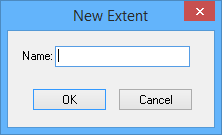
The New Extent dialog box is displayed.
3. Type a name for the view.
4. Click OK.
The current display is saved as a view.