Menu | Tools > Engineering Analysis > Shoals > Calculate Clearances |
Tool |
|
The Calculate Clearances command is used to recalculate clearances for all shoal boxes in the selected layer. This should be done if the reference model template has been changed.
To recalculate clearances:
1. Select the Shoal Boxes layer in the Layers window.
2. Select the Calculate Clearances command.
Menu | Tools > Engineering Analysis > Shoals > Calculate Clearances |
Tool |
|
The Calculate Clearances dialog box is displayed.
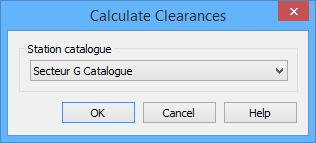
In order to determine the updated template values, you must identify the station catalogue of the reference model that was used to detect the shoals. By default, the last station catalogue that was selected in a Shoals dialog box is selected here.
3. Select a Station catalogue from the list.
4. Click OK.
The clearances are updated for all shoals. When the process is complete, a message is displayed in the Output window.
