Set the spatial extent of the product.
Interface
Spatial extent dialog box:
Set the extent using one of the following methods.
Command | Button | Description |
Set manually | Type the coordinates in the Spatial Extent fields using one of the following formats: • • • | |
Use current cover |
| Use the current extent of the Display window. Make sure that the Display window shows only the area required for the product. |
Digitize boundary |
| Digitize a box to represent the extent. A cross hair cursor is displayed. Press and hold the mouse button and drag across the area where you want to create the product. |
Select correct longitude extents |
| [Create New Product From Dataset or Create New Product from Multiple Datasets commands only] The S-57 standard does not allow products that straddle or cross the 180° meridian. If data crosses the meridian in any of the input datasets, this button is displayed. 1. Click to open the Longitude Extent dialog box. |
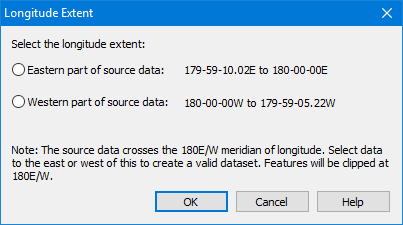
If the coordinate reference system of the input dataset includes a central meridian definition, this version of the dialog box is displayed:
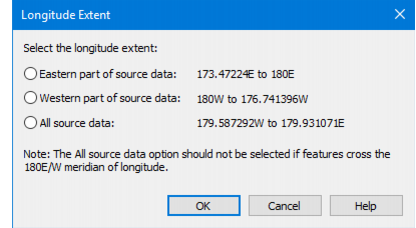
If the coordinate reference system of the input dataset does not include a central meridian definition, this version of the dialog box is displayed:
| ||
2. Select the appropriate option: • Eastern part of source data: Clip the data so that the 180° longitude line is the eastern extent of the product area. Data on the other side of the 180° line is excluded from the product. • Western part of source data: Clip the data so that the 180° longitude line is the western extent of the product area. Data on the other side of the 180° line is excluded from the product. • All source data: Create a product cover that extends around the Earth from 180° W to 180° E. 3. Click OK. • You are returned to the main wizard dialog box. |
Procedure
1. Set the extent.
2. Click Next.