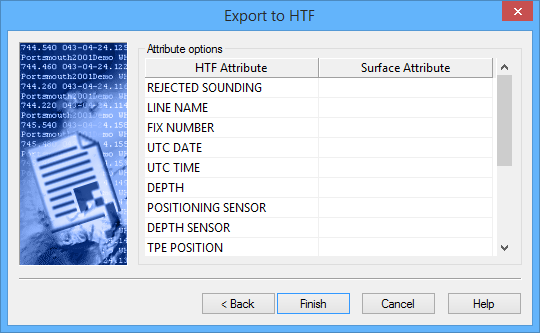
The third step of the Export Surface to HTF wizard is used to map attributes from the source surface to the HTF attributes.
Interface
The following is the third step the Export Surface to HTF wizard.
Option | Description |
Attribute Options | The HTF Attribute column contains the attributes that can be populated in the resulting HTF file. The Surface Attribute column contains the surface attributes that can be mapped to the HTF attributes. 1. Select an attribute in the HTF Attribute column. 2. Expand the drop-down list for that attribute in the Surface Attribute column. 3. Select an attribute from the list. |
Procedure
1. Expand the drop-down lists and select a surface attribute for each HTF attribute that should be mapped in the output file.
2. Click Finish.
The export is run.