1. Copy the custom template files that you want to use to the Tools folder.
2. In BASE Editor, open one of the LBM tools.
The dialog box for the selected tool is displayed.
3. For Output, Points or Lines, select Templates from the drop-down list.
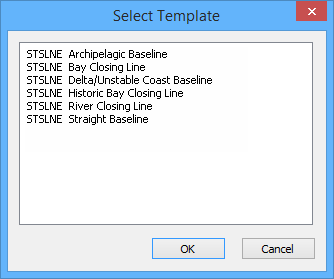
The Select Template dialog box is displayed. If there are template files present in the appropriate folder, they will be listed. The following is an example of custom line templates for the Densification tool.
4. Select a template.
5. Click OK.
The Select Template dialog box is closed; the dialogue box for the chosen LBM tool is redisplayed with the name of the selected template displayed in the Output field for that tool.
6. Select any other options and values, as needed.
7. Click OK.
The limit or boundary is created using the custom template selected.