The figures below depict the relevance distances associated with a horizontal wall.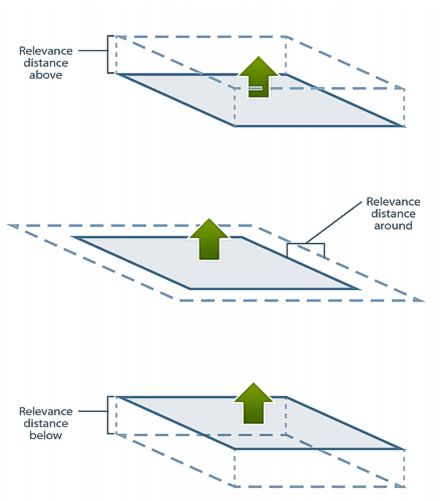
Relevance distances define the distance from a plane to be considered when importing data and creating raster surfaces relative to reference model surfaces, such that distant irrelevant features are not included.
In the relevance distances figures represented below, green arrows indicate the direction of the planar normal. This direction is always up for horizontal or inclined surfaces, but can be manually set for vertical surfaces through the Relevance tab.
The figures below depict the relevance distances associated with a horizontal wall.
The figures below depict the relevance distances associated with a vertical wall.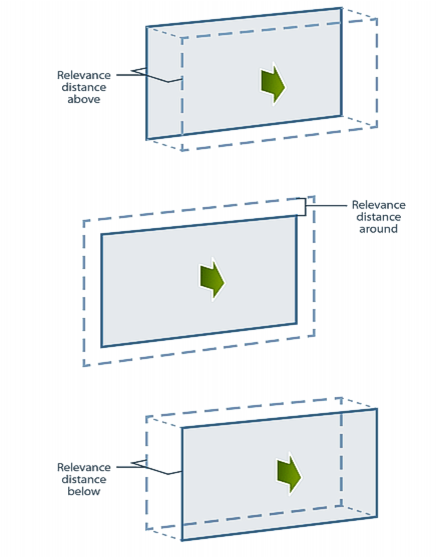
The relevance distances are set individually, subsequent to the creation of a vertical surface, in the Relevance tab of the Model Feature Window as shown below. 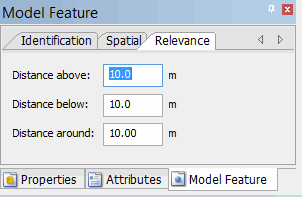
Relevance distances can also be set on a selection through the Update Features commands.