Hypack HS2 format stores processed bathymetry data.
Interface
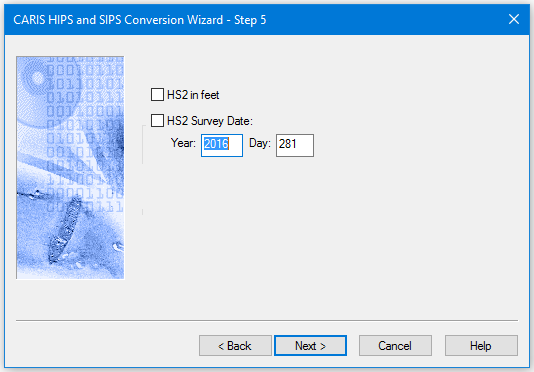
Options for converting Hypack *.hs2 data to HIPS are displayed in this dialog box.
Procedure
1. To ensure data collected in feet is converted correctly, select the HS2 in feet check box..
The HS2 format does not store day and year values with the time stamp (it does store a time value). When the data is converted to HIPS, by default the Day folder is used for reading the date.
To include another date value:
2. Select the HS2 Survey Date check box to enable the Year and Day fields.
3. Type the year and day in the fields.
4. Click Next to continue the conversion process.