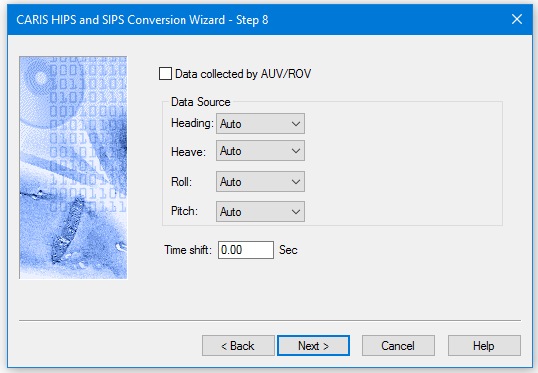
Motion data (heading, heave, roll, and pitch) is automatically read from the active motion reference unit. However, you can select another motion reference unit to read the data. Gyro data can also be read from the headings datagram.
Procedure
1. Select the Data collected by AUV/ROV check box to enable proper processing of sub-sea depth during post-processing functions, such as Sound Velocity Correction and Merge.
2. Select the device to use for the Data Source. For example, for Heading, select the Auto option to read gyro data from the active motion reference unit, or select an inactive unit by selecting MRU1 or 2.
3. In the Time Shift field, set a number specifying the seconds to add to each datagram time.
4. Click Next to continue.