Teledyne 7K format can contain multibeam data.
Interface
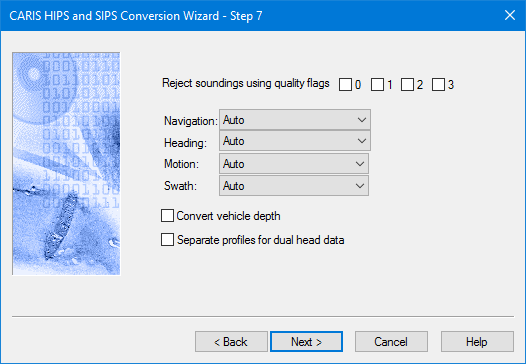
Conversion options for Teledyne 7K format are set in this dialog box:
Procedure
1. Select one or more of the quality flag check boxes to set which flagged soundings will be rejected during conversion.
2. Set device settings for navigation, motion and headings.
If data is dual head and you need the data for each head stored in individual profiles:
3. Select the Separate profiles for dual head data option to store data for each head in individual profiles.
4. Select the Convert vehicle depth field check box to convert the depth values.
5. Click Next to continue with conversion.