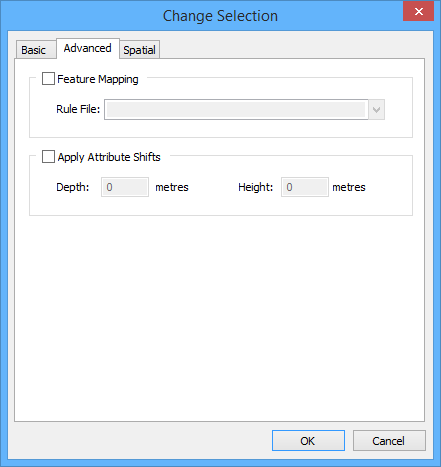
Option | Description |
Feature Mapping | Use feature mapping to update data format versions. 1. Enable Feature Mapping. 2. Select a data format for conversion from the Rule File list. See the Support Files Guide for more information about mapping. |
Apply Attribute Shifts | Increase or decrease depth or height values. The shift is applied to attributes with sounding or vertical datum types: • Sounding: DRVAL1, DRVAL2, VALDCO, VALSOU • Vertical: ELEVAT, HEIGHT, VERCCL, VERCLR, VERCOP, VERCSA Procedure: 1. Enable Apply Attribute Shifts. 2. Type the shift value in metres in Depth or Height or both. Values can be negative or positive: • Depth: Positive values increase the depth; negative values decrease the depth. • Height: Positive values increase the height; negative values decrease the height. |