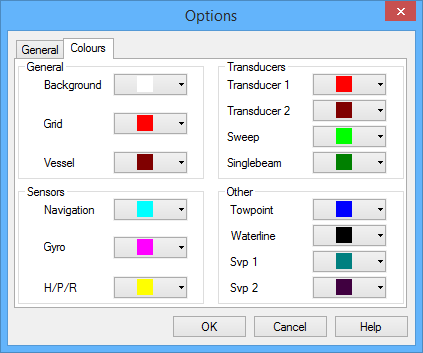
The locations of sensors and other equipment in the Vessel Shape 3D display are shown by colour markers. (You can set other colours for sensor markers.)
1. Select the Options command.
Menu | Tools > Options |
The Options dialog box is displayed.
2. Select the Options - Colours tab.
3. For each interface element, select a colour from the pull-down palette, or create a custom colour from the standard Windows colour picker.
4. Click OK to activate the changes and close the Options dialog.