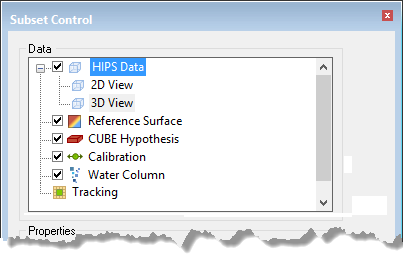
The HIPS Data layer controls include properties for sounding selection and display.
Control | Description |
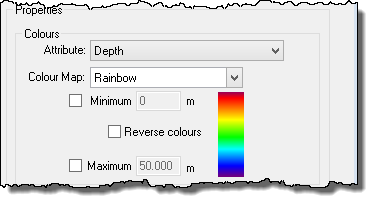
Colours | Control the colours of soundings displayed in the subset.
1. Attributes of data, such as depth, uncertainty, vessel can be identified visually by assigning colours to different attribute values. 2. Set the colours to represent a range of values using a colour map. If these values are not set in the controls, they are automatically read from the subset. • The colour at the top end of the selected map represents the minimum value (and all values less than the minimum value). • The colour at the bottom of the map represents maximum value (and all values greater than the maximum value). • The colours in between the minimum and maximum colours represent the depths and uncertainties between the defined range. The Reverse Colours check box will to reverse the order in the colour map. |
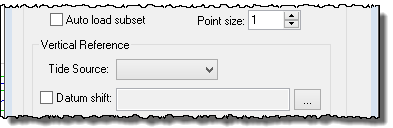
Auto load subset | The Auto Load Subset control will automatically load subset data in the 3-D and 2-D Views when a subset area is created or changed.
The value set in the Point size field controls the size of the points in the 2D and 3D views. The value can be set between 1 and 10. |
Vertical Reference | Data can be shifted vertically using either a tide or a currently open surface to visually change the data in the display. (No changes are made to the stored data.) Use Tide Source to generate final depths relative to a tide datum by subtracting the tide values from the sounding depth. Use an open surface or an open XYZ file to shift using a grid of datum heights. 1. Select the Datum Shift check box and click Browse to open the Select Surface dialog box. 2. Select a surface to use from the list of open surfaces. 6. Click OK. |
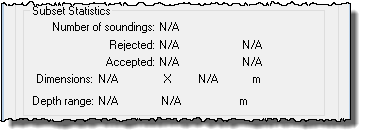
Subset Statistics
| Each time a subset is generated, the following information is displayed: • total soundings in the current subset • number and percentage of soundings with Accepted and Rejected status • dimensions of the subset • minimum and maximum depth levels within the range of the subset.
|
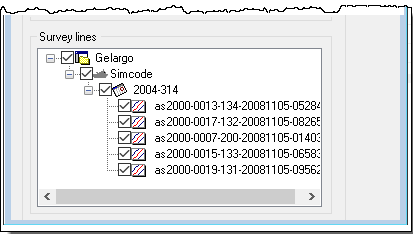
Survey Lines | The Survey lines section displays the currently open data in a read-only data tree.
|