B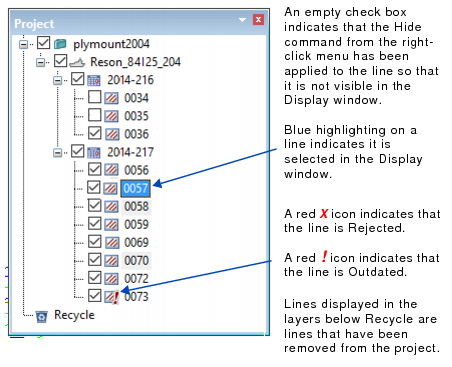
The Project window displays the currently open project. It can be used to open and close data and to select track lines. As well it indicates the status of the data lines.
When a project is first opened all lines are set to be visible in the Display, as indicated by a check mark to the left of each line. Expand the project tree by clicking the plus sign (+) to reveal the layers of the Project/Vessel/Day/Line hierarchy.
Lines can be hidden from the display by removing the check mark, or by right-clicking on the line in the Project window and selecting Hide from the pop-up menu.
Similarly, hidden lines can be made visible by selecting Show from the pop-up menu or clicking the check box.
B