Menu | Process > Beam Pattern > View |
Tool |
|
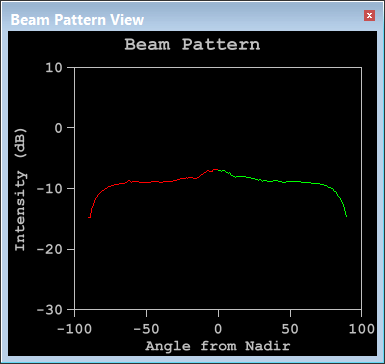
1. Select the View command to see the beam pattern.
Menu | Process > Beam Pattern > View |
Tool |
|
The Beam Pattern View displays the beam pattern graph.
To complete the GeoCoder beam pattern creation:
2. Click the Close Beam Pattern command.
Menu | Process > Beam Pattern > Close |
Tool |
|
The current beam pattern must be closed before another GeoCoder beam pattern can be created.

