Tool |
|
You also can create custom templates for use with the LBM tools. This means defining one or more features and the symbols and representations used for them.
1. Select the Feature Palette window.
You may need to open the window as it is not open by default. This done using the Window > Other Windows menu item. |
2. Click the Tools icon to expand the menu and select New > Palette.
Tool |
|
The new palette is used to create new groups and feature templates.
Create a group
3. Select the New Group command.
Menu | Tools > New > Group |
Tool |
|
Pop-up | New Group (Palette window) |
A new group is created.
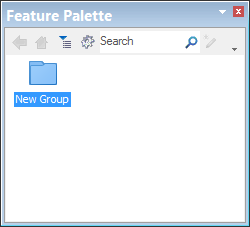
4. Enter a name for the group using the name of an LBM tool that does not have a group assigned to it.
5. Repeat steps 3 through 4 until each LBM tool has an assigned group.
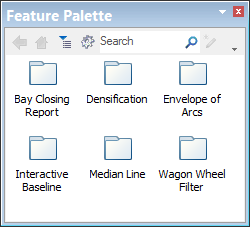
Next, save the feature palette to the Tools folder.
6. From the Tools menu, select Save As.
Menu | Tools > Save As |
Tool |
|
7. For the save location, select:
C:\Program Files\CARIS\<application>\<version>\system\LOSConfig\system\Tools
8. Type a name for the new feature palette.
9. In Save as type, select XML File.
10. Click Save.
The template file is saved to the folder.
To finish, you must create and save features for each group.
Create a feature
11. Double-click the group folder for a tool.
New features will be created in the group.
Menu | Tools > New > Feature |
Tool |
|
Pop-up | New Feature (Palette window) |
12. Select the New Feature command.
The Feature Template Properties dialog box is displayed.
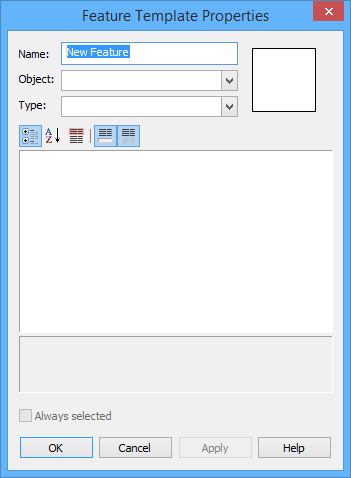
13. Type a Name for the feature.
14. From the Object list, select a feature acronym.
The Type field and attributes table are populated when the Object is selected.
15. Define the attribute values needed.
16. To apply your changes and add more changes to the feature (keep dialog box open), click Apply.
17. To apply your changes and create the feature (close dialog box), click OK.
18. Repeat steps 12 to 17 for each template needed in each group.
When finished, be sure to save the changes to the palette.
To use this template with the LBM tools, see Using Custom Templates.
For more information on creating features with the Feature Palette, see the Feature Palette section in the .


